Instructions for MIDI Installation System
SoundProX MIDI System Installation Manual
Table of Contents
- Introduction
- Benefits of the SoundPro X MIDI System
- Why Choose SoundPro X?
- What You Will Find in This Guide
- Installation Guide
- Connecting Additional Components
- Final Assembly and Testing
- Advanced Features and Functions
- Troubleshooting
- Contact Support
Introduction
Welcome to the comprehensive guide for installation the SoundPro X MIDI system on accordion. The SoundPro X system represents a revolution in the accordion world, combining traditional craftsmanship with cutting-edge technology to provide an unparalleled musical experience.
- What is SoundPro X?
SoundPro X is an innovative MIDI system designed specifically for accordionists, offering advanced features and modern connectivity. This system transforms the traditional accordion into a versatile instrument capable of producing a wide range of sounds and effects, thus enhancing creativity and musical performance. Designed in 2006 by SoundPro X, this system was developed to make the accordion more accessible and interesting for musicians of all levels.
Benefits of the SoundPro X MIDI System
Latency-Free Performance: The zero-latency technology ensures an instantaneous response, eliminating any delay between key presses and sound production. This is essential for performers who desire a smooth and natural experience.
Advanced Features: The system includes features such as Transpose, which allows for changing the key of a piece without modifying the score, and Thirds, which adds additional notes to enrich chord sounds. The dynamic bellow activation simulates the authentic sound of the accordion, offering a realistic sonic experience.
Control and Flexibility: With dual volume control, you can adjust the sound both from the control panel and externally using a potentiometer. The Program Change function allows for quick setting and program changes, providing flexibility during performances.
Modern Connectivity: The system is equipped with Bluetooth and WiFi, allowing easy connection to other devices and access to online resources. This opens up new possibilities for recording, editing, and sharing music.
- Why Choose SoundPro X?
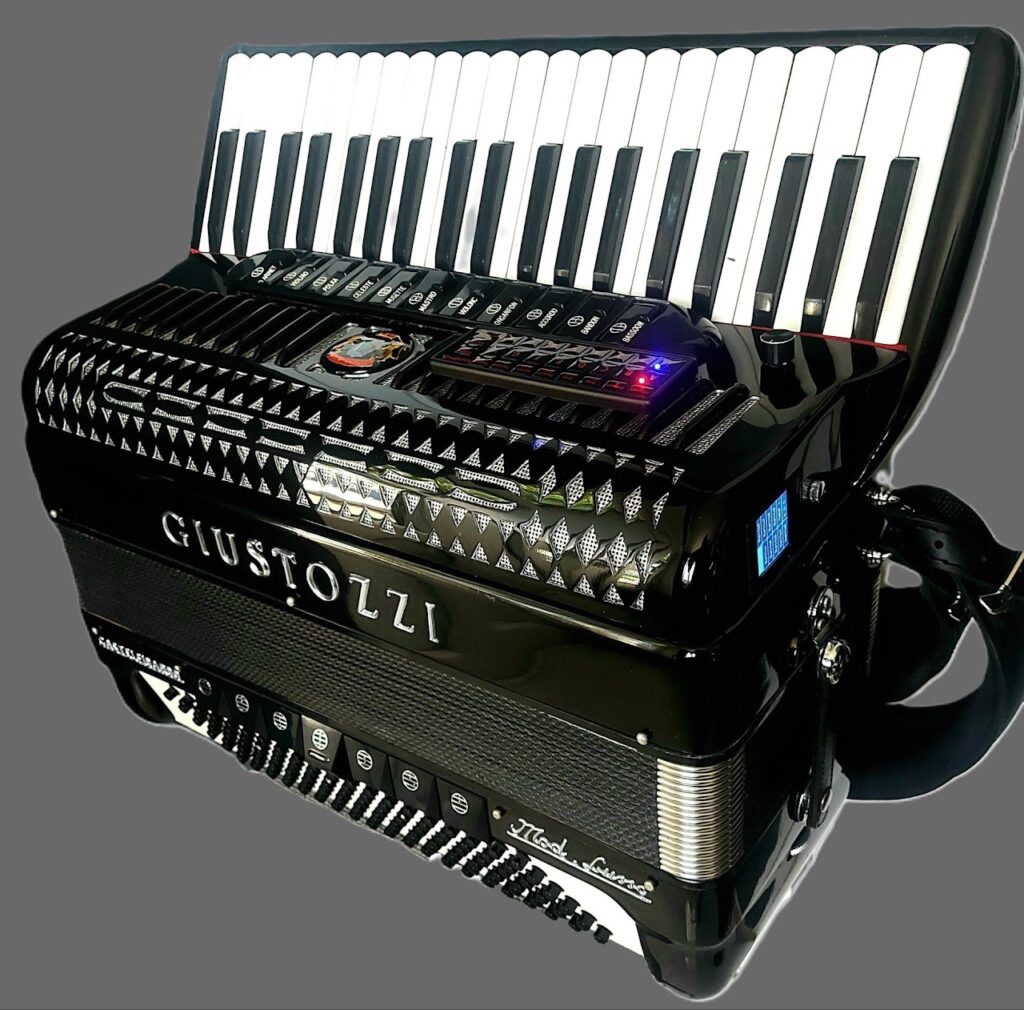
SoundPro X redefines the musical experience for accordionists, offering a unique combination of tradition and technology. With an interactive display that shows all available functions and instruments in real-time, this system helps you explore your creativity and improve your performance. Whether you are a professional musician or a music enthusiast, SoundPro X provides a powerful tool to expand your musical horizons
What You Will Find in This Guide
This guide is structured to walk you through all aspects of using the SoundPro X MIDI system. From initial installation and configuration to using advanced features and troubleshooting common issues, you will find all the necessary information to make the most of this innovative system.
We wish you success in exploring the new musical possibilities offered by the SoundPro X MIDI system and hope this guide will be a reliable aid in your musical journey.
Installation Guide
- Step-by-Step Installation
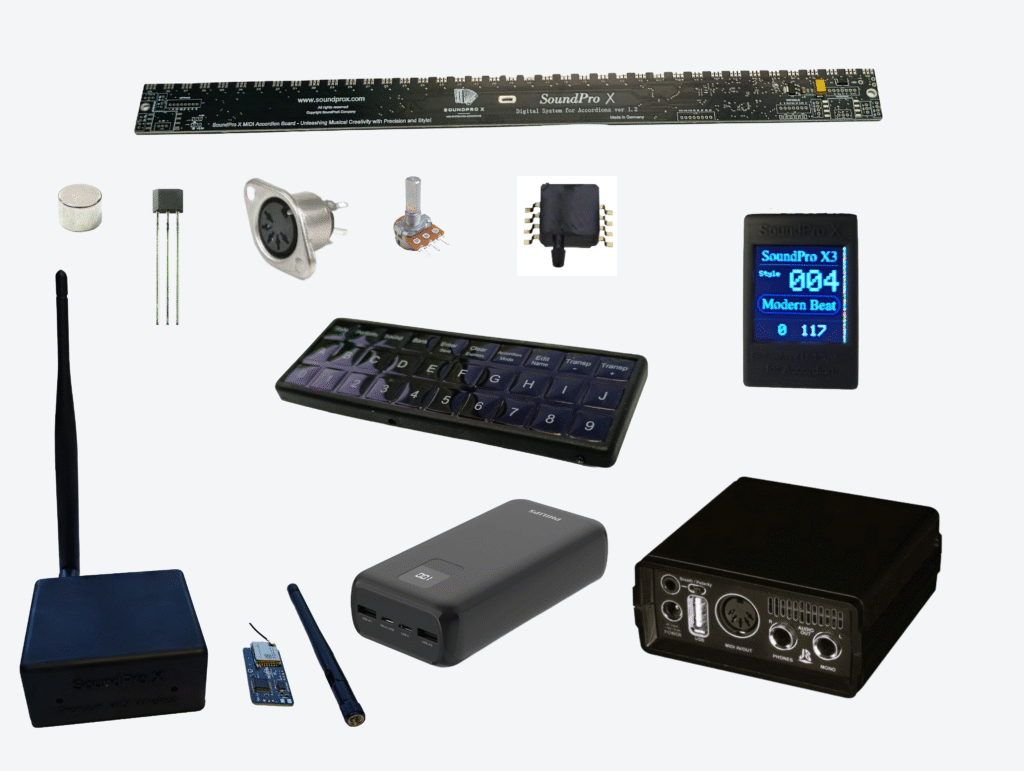
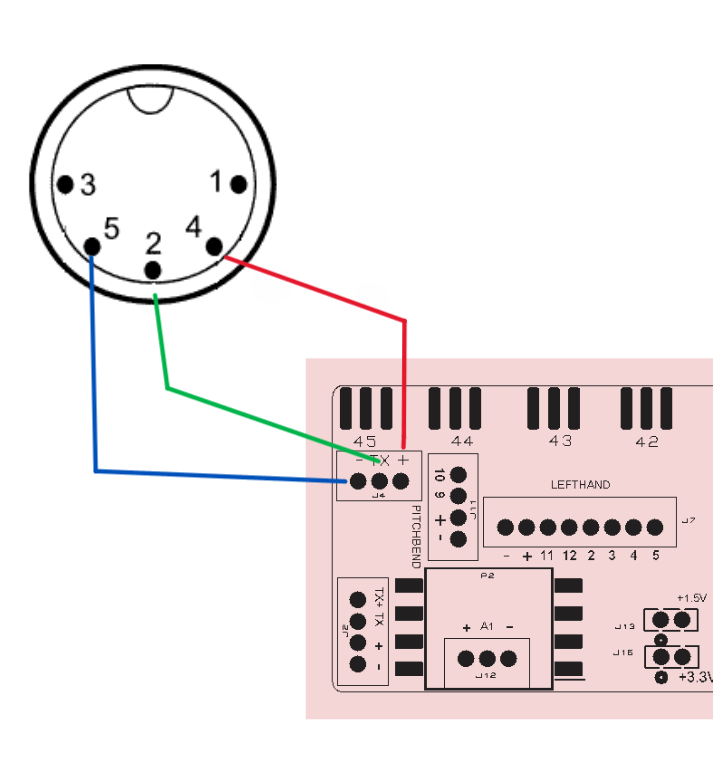
Unboxing and Preparation: Upon receiving your SoundPro X MIDI System, familiarize yourself with the connection diagram provided.
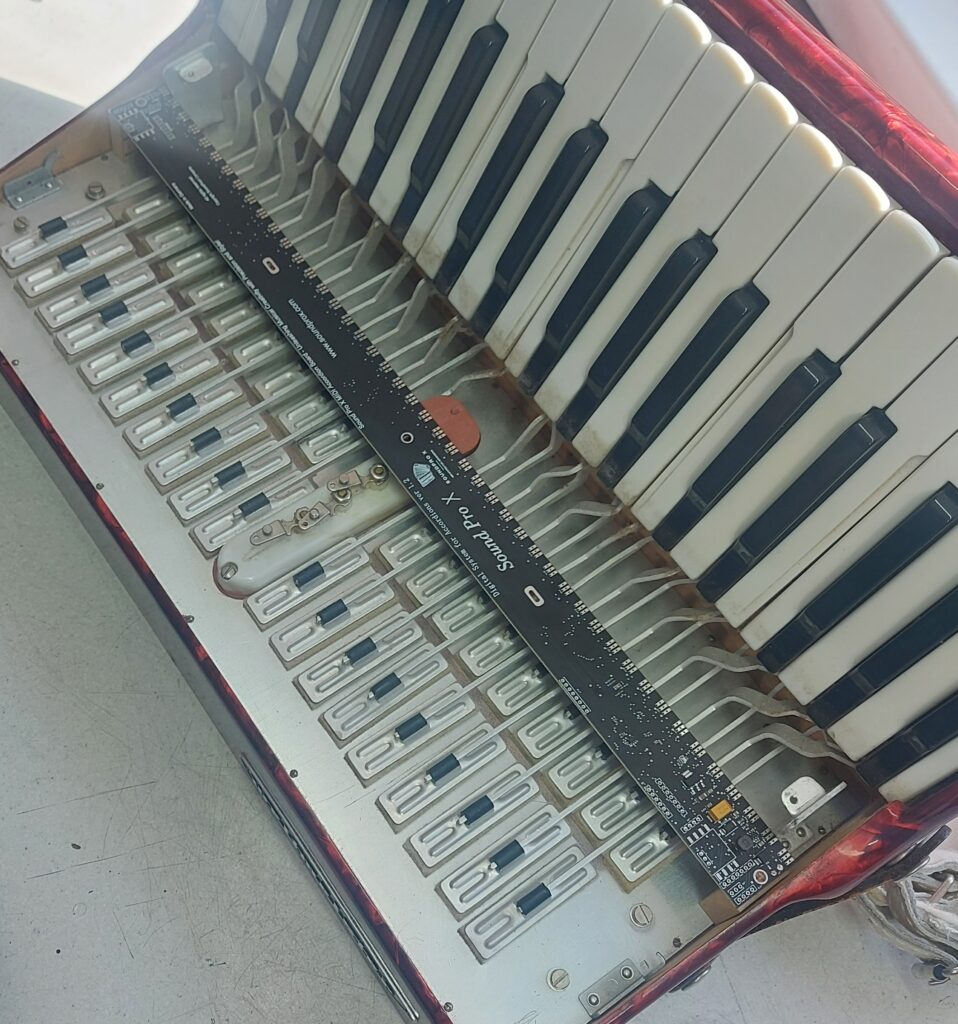
Step 1 – Prepare Your Accordion
Step 2 – Unpacking the MIDI Kit
Tutorial in Romanian
Tutorial in English
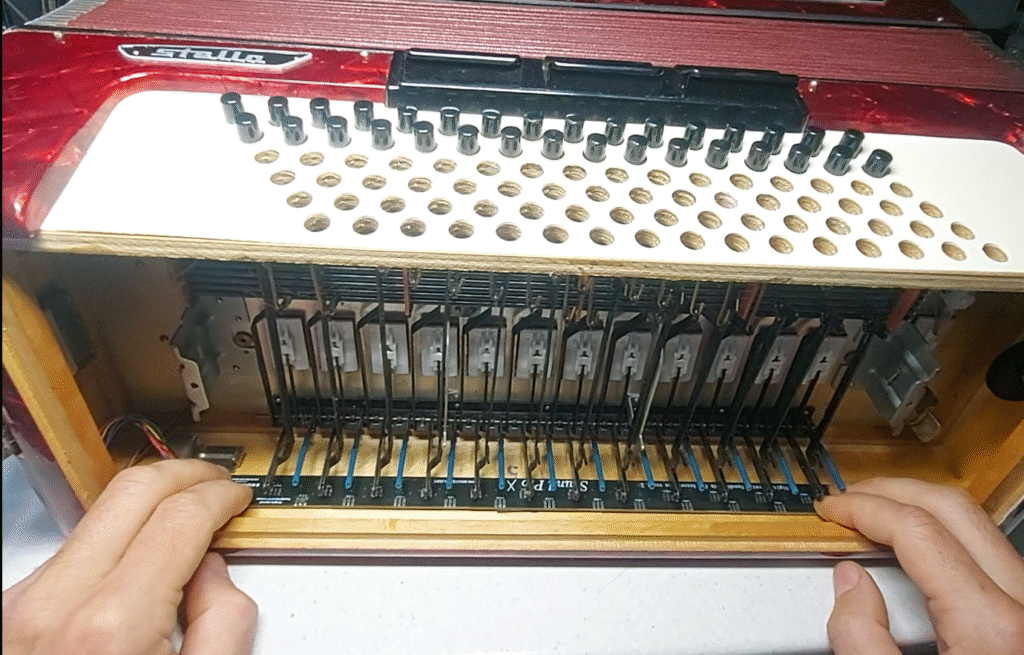
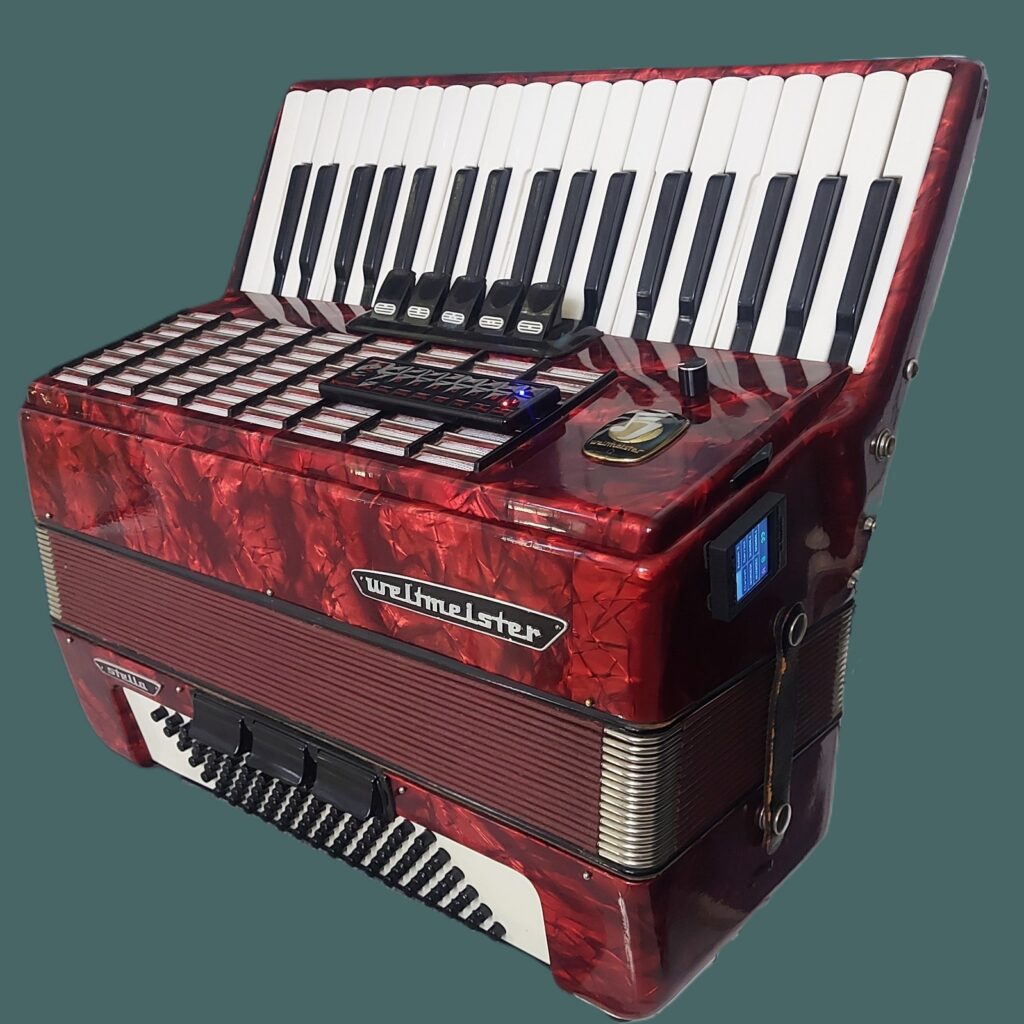
Installation Midi System on Weltmeister Stella
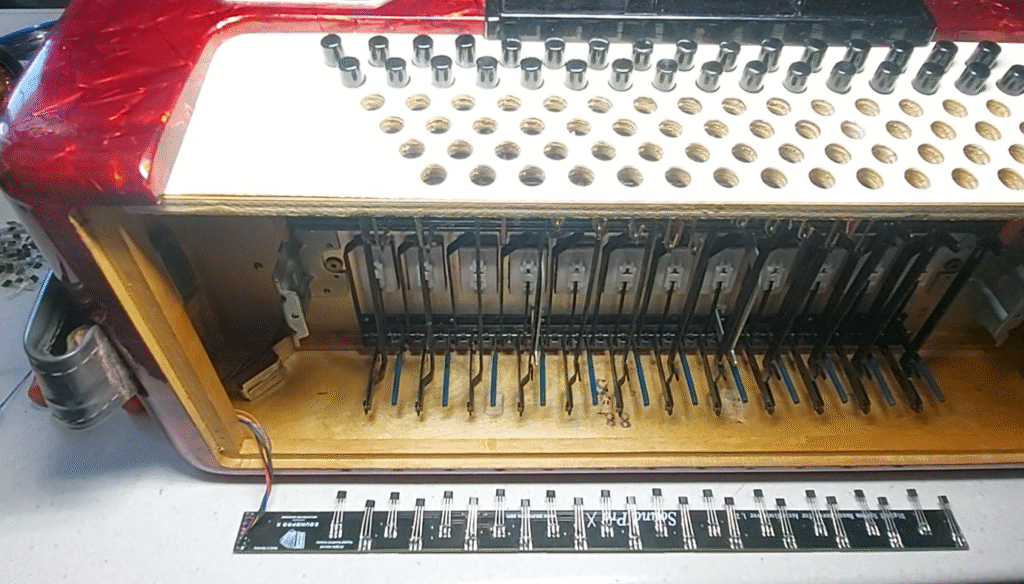
• Mounting the Base Plate:
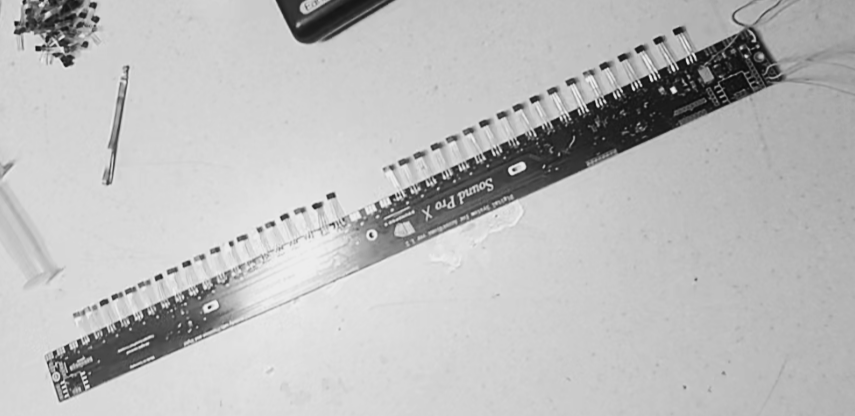
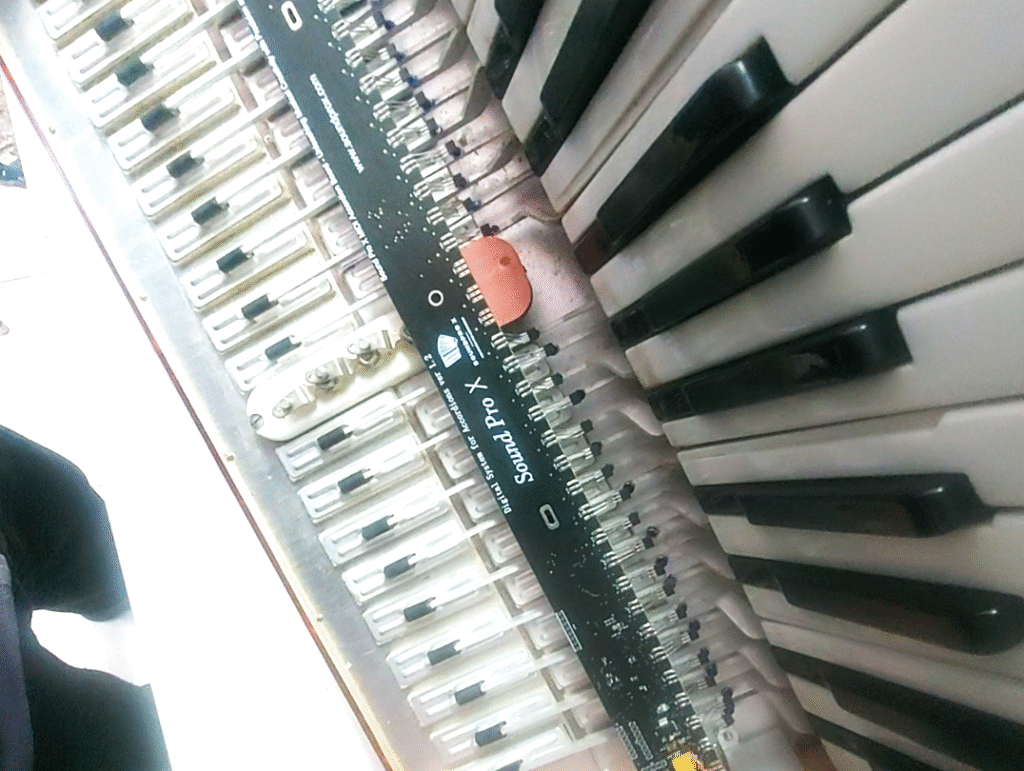
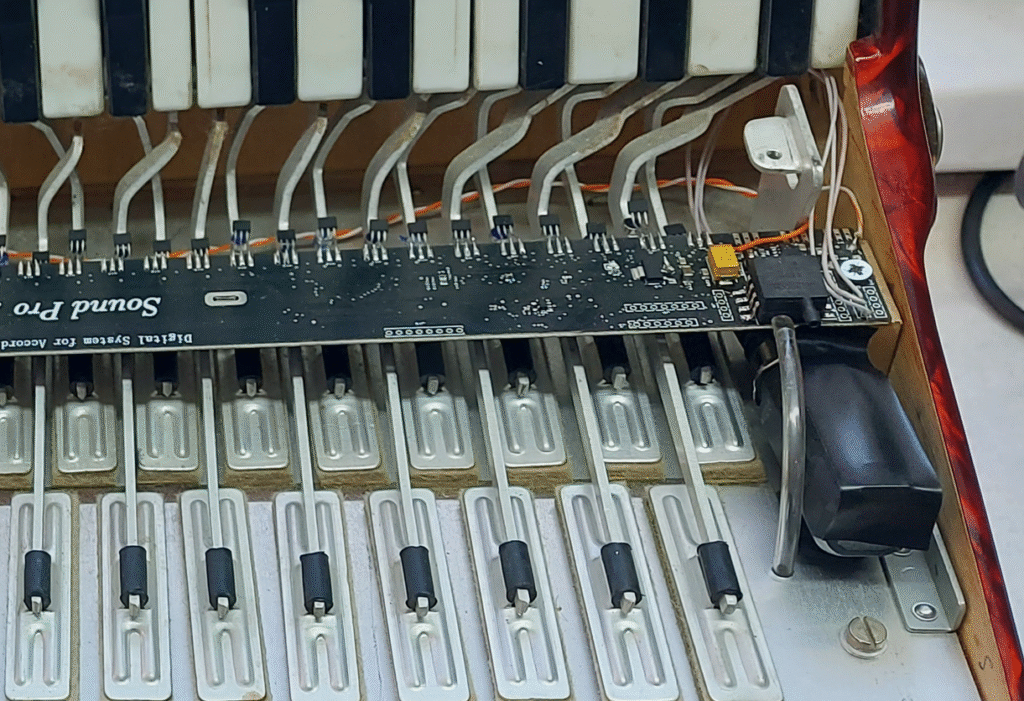
• Connecting the Sensors:
• MIDI Connection:
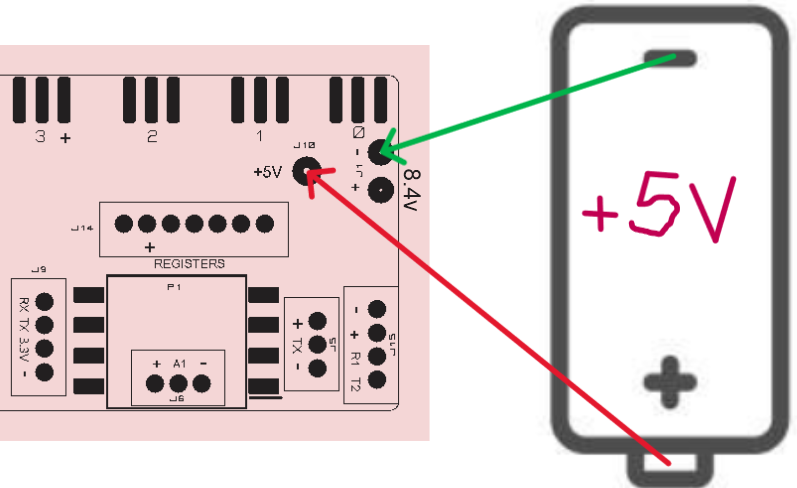
• Power Supply:
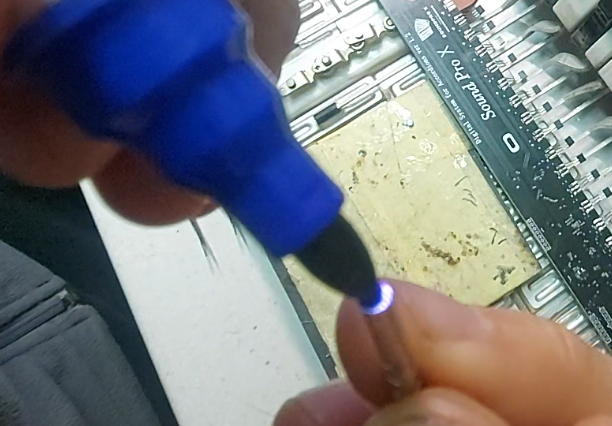
• Sensor Verification:
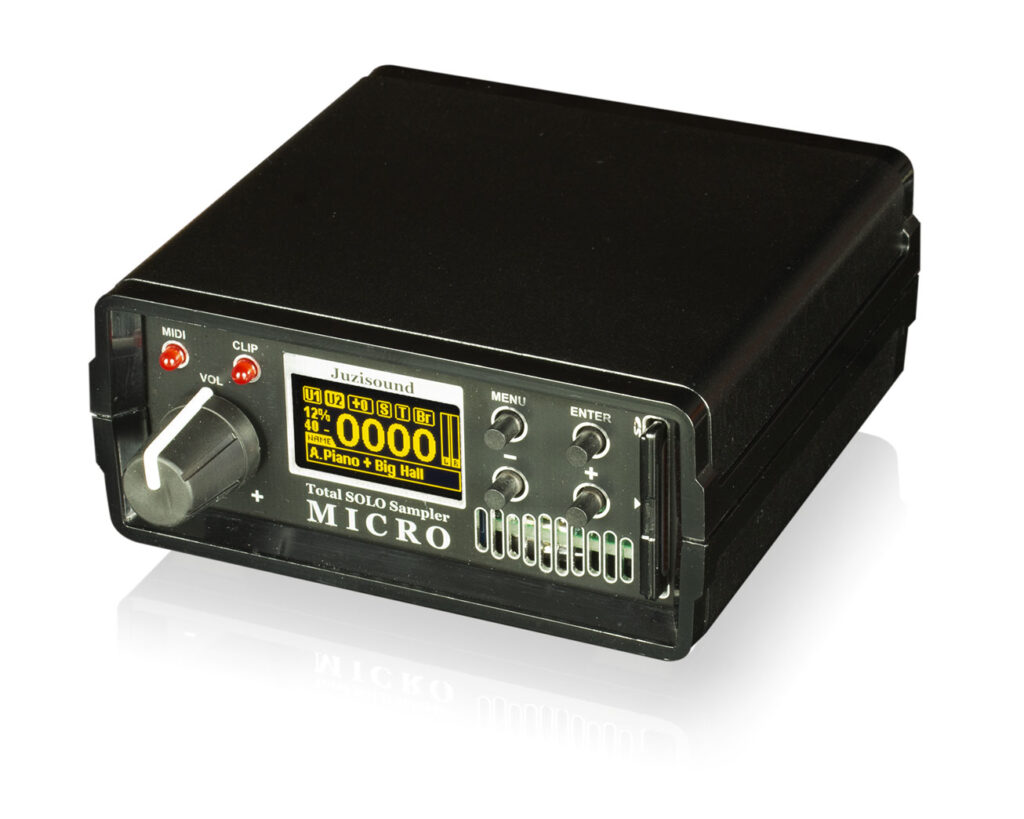
Connect the 5-pin MIDI to External Sound Module.
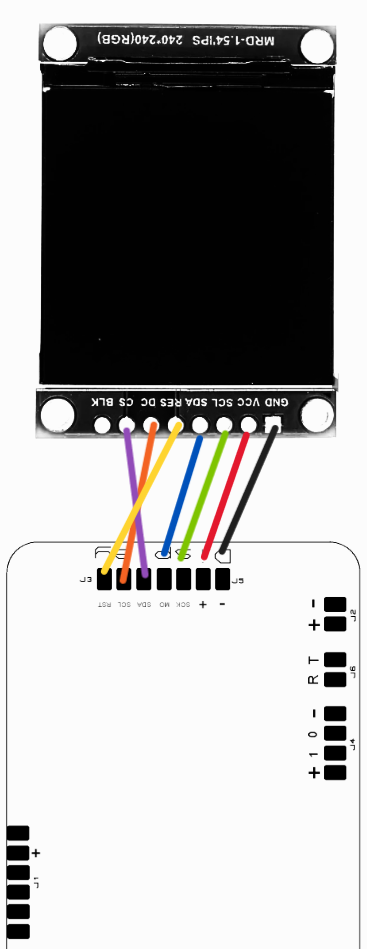
• Display and Control Panel Connection:
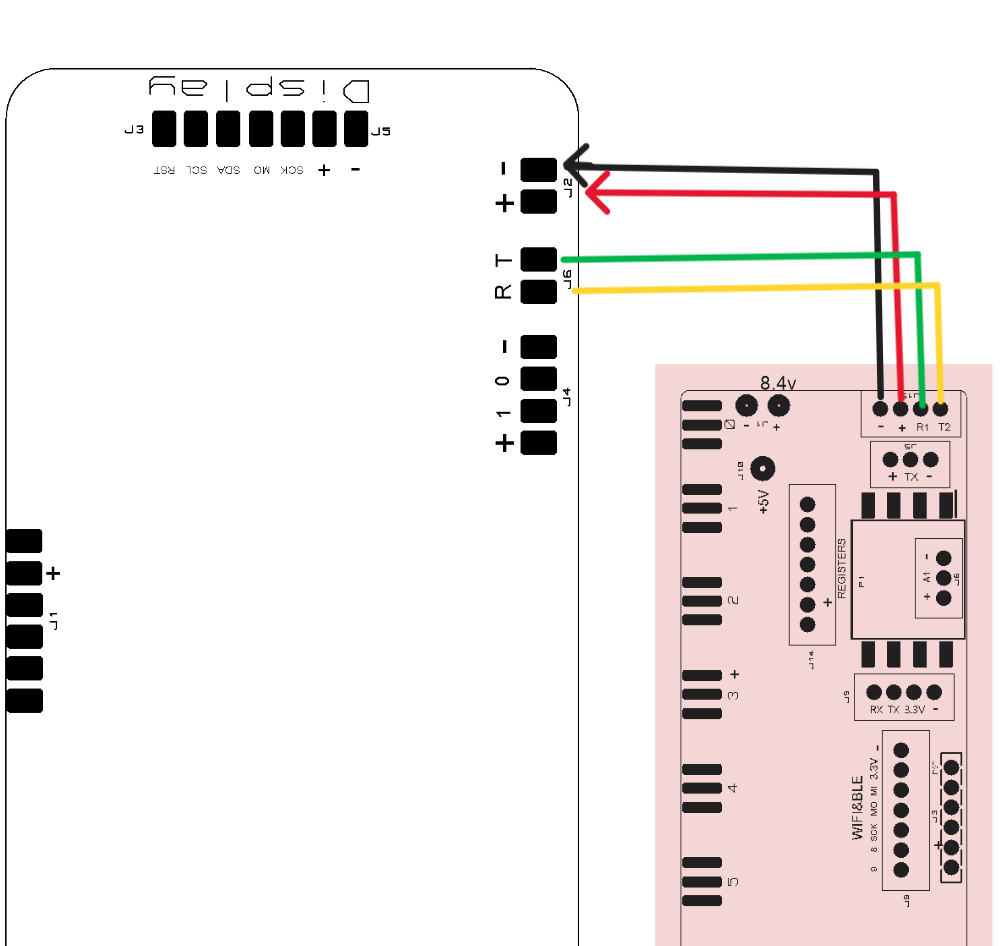
• Base Board and Control Panel Connection:
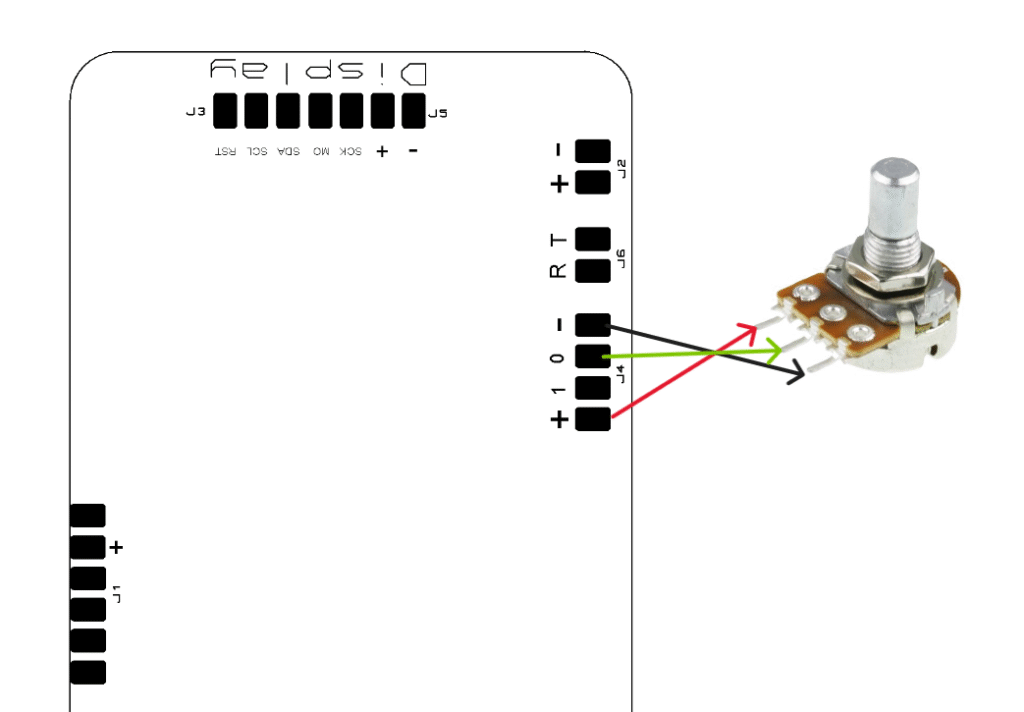
• Potentiometer Connection:
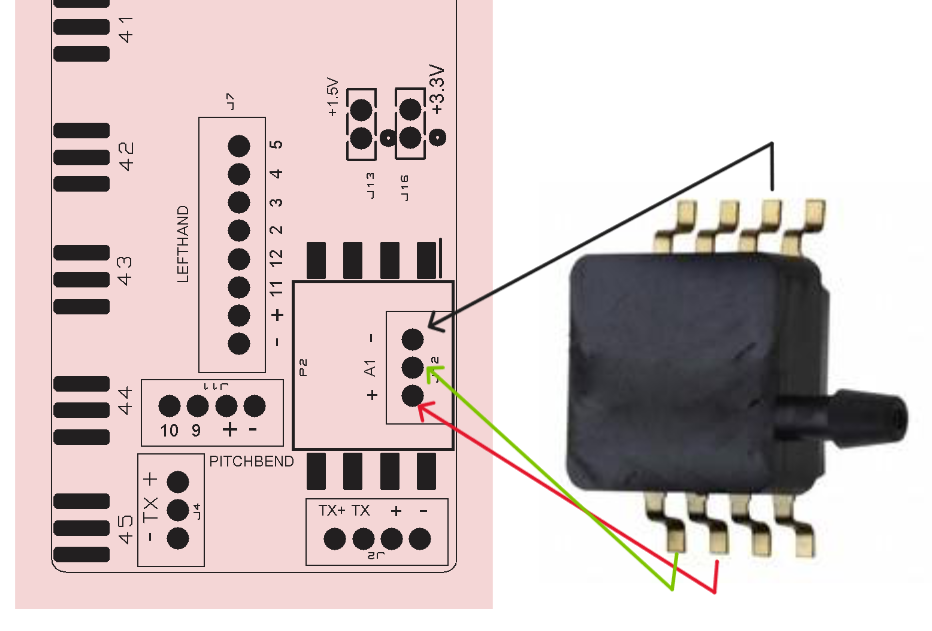
• Bellow Sensor Connection:
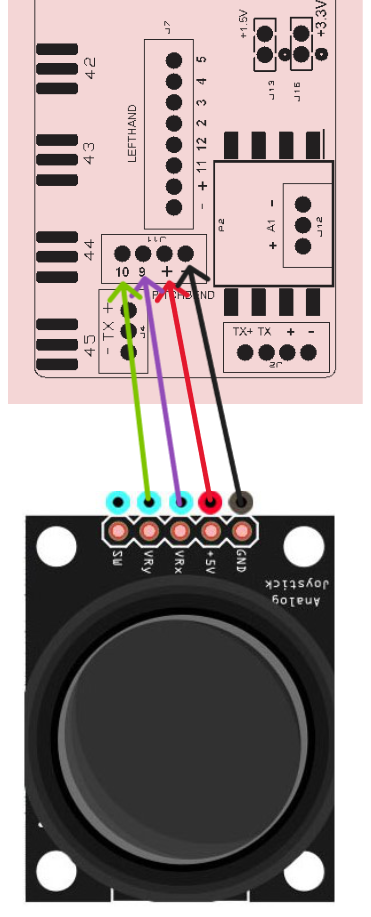
• Pitch Bend Connection (Optional):
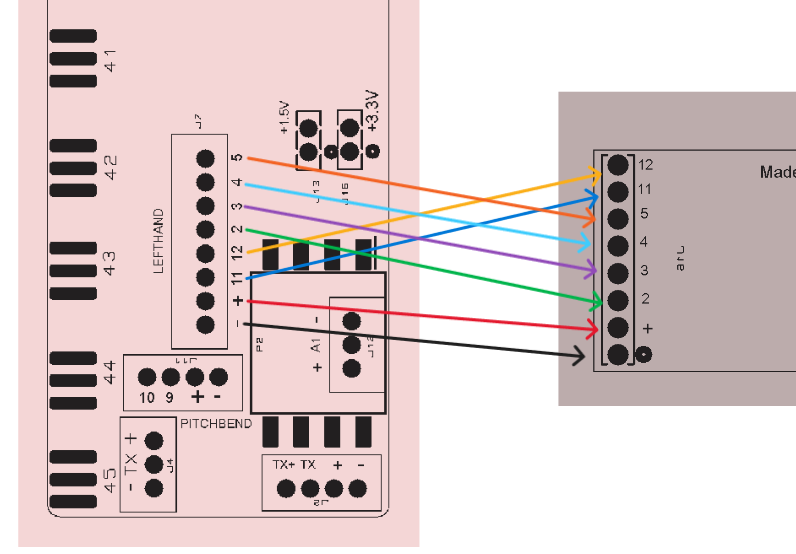
• Bass Section Connection:
• Mount the sensors on the plate and attach the corresponding magnets to each bass note.
Final Assembly and Testing
Ensure all connections are secure and functional.Test the system by playing the accordion and verifying the response of each component.Adjust settings on the control panel to achieve the desired sound and performance.For more detailed visual instructions, refer to the tutorial videos available on YouTube.
Advanced Features and Functions
Transpose Function: Allows for changing the key of a piece without modifying the score. Adjust the transpose settings on the control panel to shift the key up or down.
Terca: Adds additional notes to enrich chord sounds. Activate the Thirds feature through the control panel settings to enhance your chords.
Dynamic Bellow Activation: Simulates the authentic sound of the accordion. Adjust the dynamic bellow settings to match your playing style for a realistic sound.
Program Change Function: Allows for quick setting and program changes. Use the Program Change function to switch between different sound settings during performances.
Connectivity Options: Bluetooth and WiFi: Enable wireless connectivity for recording, editing, and sharing music. Pair your accordion with compatible devices and access online resources for an enhanced musical experience.
Troubleshooting
Common Issues and Solutions
No Sound Output: Check: Ensure all cables are connected properly. Solution: Verify the power source and MIDI connections.
Latency Issues: Check: Ensure the zero-latency feature is enabled. Solution: Restart the system and check for firmware updates.
Unresponsive Sensors: Check: Verify sensor connections and clean any residues. Solution: Replace faulty sensors if necessary.